
Follow the mentioned steps to create steward entries.
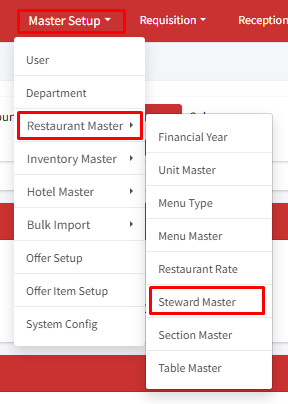
Step 1: Go to Master Setup > Restaurant master > Steward Master.
Step 2: Click on ‘+Create Steward’.
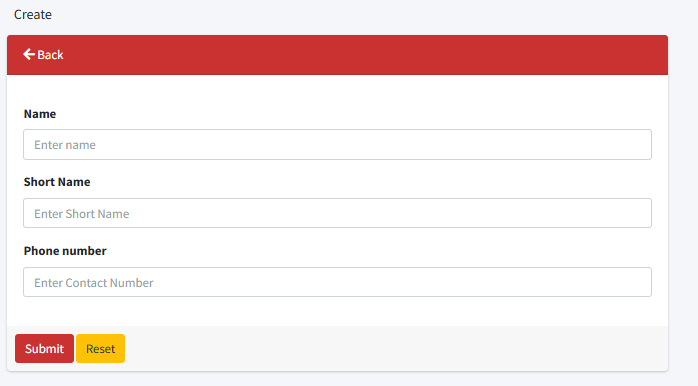
Step 3: Go to the create page to add a new steward. Enter their full name, a shorter nickname, and their phone number. When you’re finished, click ‘Submit’ to save the information.
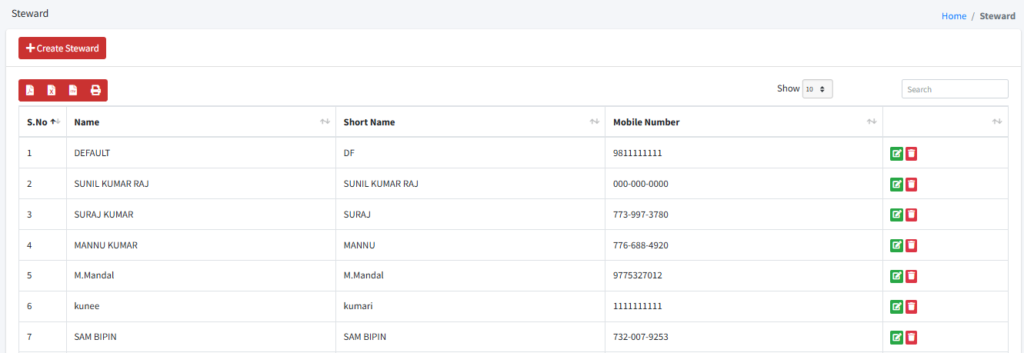
If you need to change any details about a steward, click the edit button. If you want to remove a steward from the system, click the delete button in the actions column.
Need help?
Have you any question which is not answered in this knowledge base? Contact us. We are here to help you.